Choosing an Audio Interface: Inputs, Preamps, Drivers and Outputs
This guide gives you a clear checklist for picking an audio interface: how many inputs you need, how much preamp gain, which outputs matter and why driver quality decides how the unit feels every day.
By Delia Marchbanks, in Computer & Interface
An audio interface does two jobs. It turns the analog signal from a microphone, guitar or keyboard into numbers your computer can record, and it turns the numbers coming out of your DAW back into an analog signal for speakers and headphones. Everything else on the spec sheet is detail around those two conversions, and most of that detail matters less than people think.
The goal of this guide is to help you work out what you actually need. A singer-songwriter who records one voice at a time has very different requirements from someone tracking a full drum kit, and choosing for the second case when you live in the first just adds weight, menus and cables to every session.
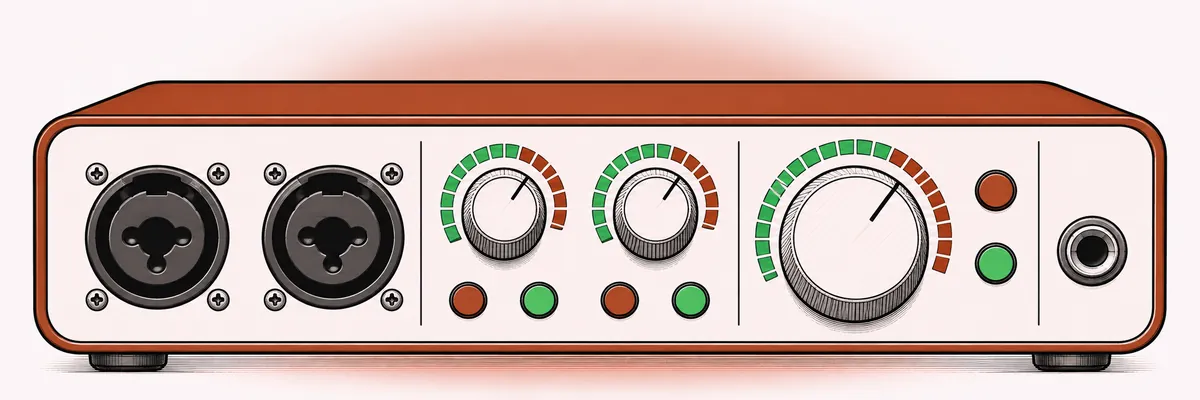
Start with how you record
Before you look at any specifications, write down the largest number of sources you need to record at the same moment. Not the total number of instruments you own, the number that play together on a single take.
- One or two sources at a time: voice and guitar, a stereo keyboard, a spoken-word recording with one voice. A two-input interface covers this.
- Four to eight sources: a small band rehearsal, a drum kit with a few mics, a stereo pair plus close mics on an acoustic ensemble. Look at four- or eight-input units.
- More than eight: full drum kits with many close mics or live band tracking. Here you need eight preamps plus expansion through a digital port, or a larger rack unit.
Many people overestimate this number. If you layer parts one at a time, which is how most home productions are built, two good inputs carry you a long way.
Inputs and preamps
Most desktop interfaces use combination sockets that accept both XLR microphone cables and quarter-inch jack cables. Each input usually has three modes: microphone, line and instrument (often labeled Hi-Z). Instrument mode presents a high impedance, typically around 1 megohm, which lets a passive guitar or bass pickup keep its top end. If you record guitar or bass directly, check that at least one input offers this.
How much gain you need
The single most overlooked number is maximum preamp gain. Condenser microphones produce a fairly strong signal and rarely need more than 30 to 40 dB of gain. Dynamic microphones are much quieter, and some popular broadcast-style dynamics need 55 to 60 dB or more to reach a healthy recording level on a quiet spoken voice. Ribbon microphones can be quieter still.
If the preamp tops out at around 50 dB, you end up running it at maximum, where noise rises, or you add an inline booster in front of it. Look for 60 dB or more of clean gain if you plan to record speech or soft vocals on a dynamic mic. Also look at the noise figure, expressed as equivalent input noise (EIN). Values around -127 to -130 dBu (A-weighted, with a 150 ohm source) are typical of good modern preamps; lower numbers mean quieter.
Phantom power and pads
Condenser microphones need 48 V phantom power, which almost every interface provides. Check whether it is switched per channel or for a group of inputs, since some ribbon mics should not receive phantom on a faulty cable. A pad switch of around -10 to -20 dB is useful for loud sources like kick drums or guitar cabinets, so the preamp does not clip before the gain knob reaches zero.
Converters and audio quality
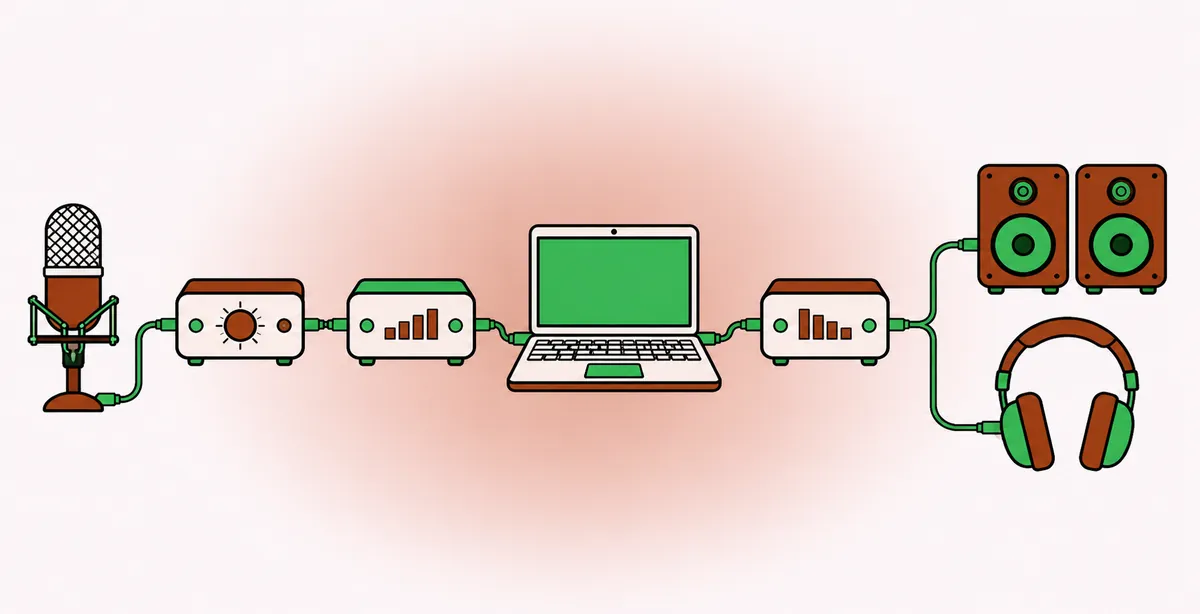
Converter quality is where marketing tends to shout loudest, but modern conversion is very good across the board. Typical figures you will see:
| Spec | Typical value | What it tells you |
|---|---|---|
| Dynamic range | 110 to 120 dB | Distance between noise floor and clipping |
| Sample rates | 44.1 to 192 kHz | Supported recording rates |
| Bit depth | 24-bit | Resolution of each sample |
A dynamic range of 110 dB is already beyond what a home room can deliver, since the acoustic noise floor of a typical bedroom sits far above the converter noise. Differences between decent converters are subtle, and they matter much less than microphone choice, placement and the room itself. For most work, recording at 44.1 or 48 kHz and 24-bit is a sensible default; the sample rate and bit depth guide explains when higher rates make sense.
Monitoring and outputs
Direct monitoring
Direct monitoring sends the input signal straight to your headphones inside the interface, before it reaches the computer. You hear yourself with essentially zero delay, which is why it is the first thing to check if a singer complains about latency. The simplest version is a knob that blends input and playback; more advanced units offer a software mixer that lets you build separate headphone mixes, add reverb to the cue and save scenes.
Without good direct monitoring, you depend on setting a small buffer before you track, which puts more load on the computer.
Headphone outputs
If more than one person records at once, you want two headphone outputs, ideally with independent volume and independent mix sources. Check the output power too: high-impedance headphones (250 ohms and above) need more voltage than some small interfaces deliver, and they end up sounding quiet and thin. If you plan to mix on headphones, a strong headphone amp matters more than an extra pair of inputs.
Line outputs
Two balanced line outputs feed a pair of studio monitors. A second pair lets you switch between two sets of speakers, which helps with translation checks. A large, smooth monitor volume knob is a daily comfort feature; some interfaces add a mute or mono button on the front panel, both handy for checking a mix in mono.
Drivers, latency and stability
This is the part of an interface you cannot see in a photo, and it decides how the unit feels every day. The driver is the software layer that moves audio between the interface and your DAW.
On macOS, Core Audio handles most class-compliant interfaces well with no extra driver. On Windows, you need an ASIO driver written by the manufacturer for low-latency work; generic drivers add delay and are not reliable for tracking. Things to look for:
- Low and honest round-trip latency. At a 64-sample buffer and 48 kHz, a well-designed driver reaches roughly 3 to 6 ms round trip. Some drivers add hidden safety buffers that push this higher. Your DAW usually reports the figure in its audio settings.
- Stability at small buffers. An interface that crackles below 256 samples forces you to rely on direct monitoring for every take.
- Ongoing driver updates. Operating systems change; a manufacturer with a long record of updates keeps an older interface usable.
Connections and power
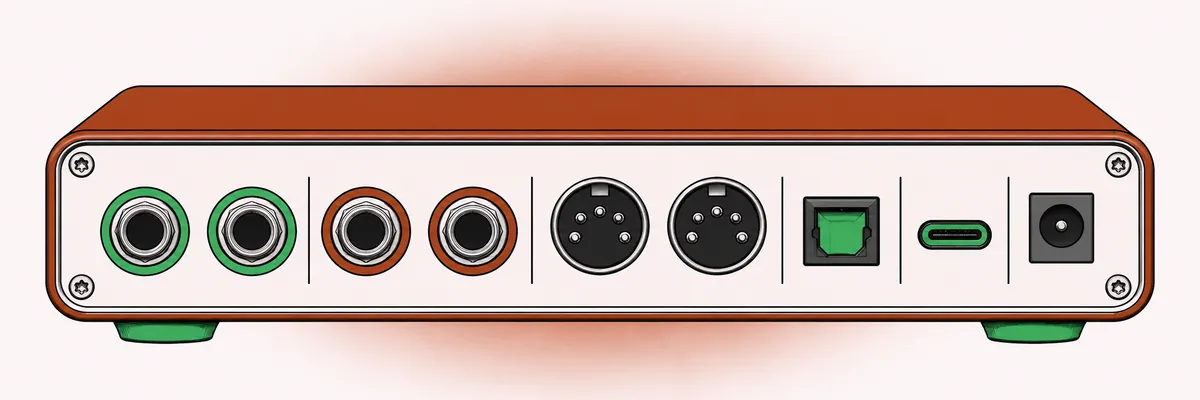
USB 2.0 offers more than enough bandwidth for dozens of channels of audio, so a USB-C socket on an interface does not by itself mean better performance; it mostly means a sturdier, reversible connector. Thunderbolt can deliver very low latency on some designs and supports large channel counts, but it ties you to computers that have the port.
Bus power means the interface runs from the USB cable alone. It is convenient for laptops and mobile recording, but bus-powered units sometimes limit headphone level or phantom power capacity. An interface with an external power supply avoids those compromises at the cost of one more cable.
Expansion and MIDI
Optical ports (ADAT) let you add eight more preamp channels later by connecting a separate preamp unit. If you might grow from two inputs to a drum kit, this is a simple way to keep the option open. Five-pin MIDI in and out are useful for older synths and drum machines, although most modern controllers connect over USB directly.
Loopback and streaming features
Loopback creates a virtual input that carries your computer's playback, so you can record or stream audio from a browser, a video call or another app along with your microphone. It is essential for streaming and remote interviews and irrelevant for most music recording. Some interfaces also include onboard effects processing, which lets you track through compression or reverb without loading the computer, and channel presets aimed at spoken voice.
A short checklist
- Count the sources you record at the same moment.
- Confirm at least 60 dB of clean gain if you use dynamic microphones on quiet sources.
- Make sure you have an instrument input if you track guitar or bass directly.
- Check direct monitoring and the number of independent headphone mixes.
- Look for stable low-latency drivers on your operating system.
- Decide whether you need expansion ports, MIDI or loopback.
- Match the connection type to your computer.
Once the interface is set up, the next step is gain staging through your session so the levels you capture leave enough headroom for mixing.
Quick answers
How many inputs do I need on an audio interface?
As many as you record at the same moment, not the number of instruments you own. Two inputs cover most layered home productions.
Why is my dynamic microphone so quiet?
Dynamic microphones have low output and many need 55 to 60 dB of gain on soft sources. If your preamp runs out of gain, look for one with more headroom or add a clean inline booster.
Does a high-end converter make my recordings sound better?
Rarely in a way you can hear at home. Microphone, placement and the room shape the sound far more than the difference between two competent converters.
Is USB-C faster than USB for audio?
The connector shape does not change audio performance. Bandwidth for audio is modest, and driver quality matters far more than the socket.