Choosing Studio Monitors for a Small Room: Size, Ports and Subs
After reading this you will be able to match monitor size and design to your room, read the specs that matter, and decide whether a subwoofer would help or hurt your mixes.
By Delia Marchbanks, in Room & Monitoring
Studio monitors are designed to show what is in a recording rather than flatter it. In a small home room, though, the room has as much say as the speaker. The low end you hear at the chair is a mix of the speaker's own response, the room's modes and the reflections from nearby walls. Choosing monitors well means choosing for the room you have, not for the specifications alone.
This guide covers size, near-field design, ports, rear-panel controls and subwoofers, plus a few specs worth reading carefully.
What near-field means
Near-field monitors are designed to be heard from about 1 to 1.5 meters. At that distance, the direct sound from the speaker is louder than the room's reflections, which reduces the room's influence. That is the main reason they suit home studios: your ears hear more speaker and less room.
Mid-field and main monitors are larger and are meant for listening at 2 to 4 meters in bigger, treated rooms. In a bedroom, they push far more bass into the room than it can handle and the listening position sits too close for their drivers to blend.
Woofer size and room size
Bigger woofers move more air and reach lower. In a large treated room that is welcome. In a small, untreated room, deep bass excites room modes that make the low end uneven, so extra extension often adds confusion instead of information.
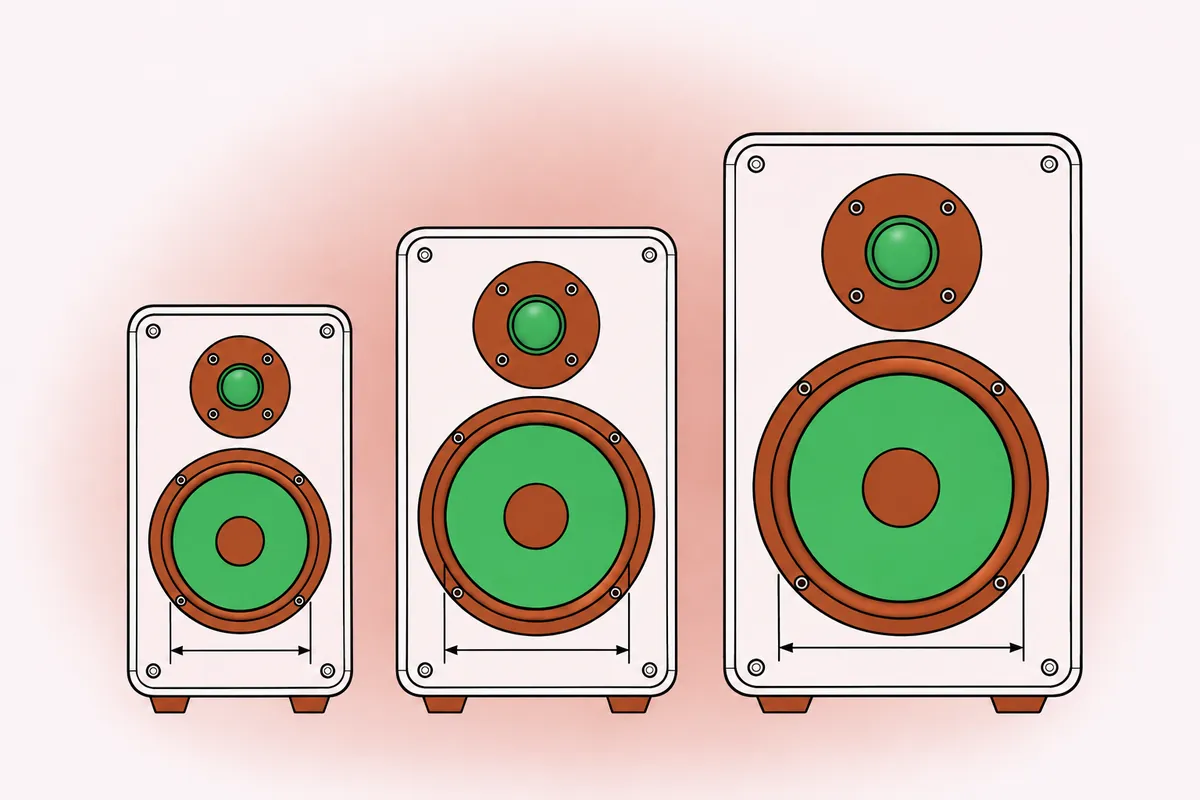
Rough starting points:
| Room size | Woofer size | Typical low end |
|---|---|---|
| Under 10 m² | 4 to 5 inch | Down to around 50-60 Hz |
| 10 to 20 m² | 5 to 7 inch | Down to around 40-50 Hz |
| Over 20 m², treated | 7 to 8 inch | Down to around 35-45 Hz |
These are guidelines, not limits. A treated small room can handle more bass than an untreated one twice its size. The main point is that a smaller speaker playing cleanly in a controlled range often beats a larger one whose bass is drowned in room modes.
Smaller speakers also need less distance between them and the listener to blend their drivers, which suits the 1 to 1.3 meter triangle typical of a small desk. The guide on monitor placement in a home room shows how to set that triangle up.
Two-way, three-way and coaxial designs
- Two-way: a woofer and a tweeter. The most common design in near-fields, with a crossover usually somewhere between 1.5 and 3 kHz.
- Three-way: a separate midrange driver. Can reduce the strain on the woofer and tweeter around the vocal range, but the speakers are larger and need more distance to blend.
- Coaxial: the tweeter mounted in the center of the woofer, so both radiate from the same point. This gives consistent imaging at short distances and when you move your head, which suits small rooms.
None is automatically better. Read the published frequency response and dispersion charts where they exist, and compare speakers at the same listening level.
Ports and front wall distance
Many monitors use a bass port: a tube that lets air move in and out of the cabinet and extends the low end. The position of the port matters for placement.
- Rear-ported monitors need space behind them, usually at least 15 to 20 cm from the front wall, or the port loads up against the wall and the bass becomes boomy and smeared.
- Front-ported monitors can sit closer to the wall, since the port fires into the room.
- Sealed (closed-box) monitors have no port. Their bass rolls off more gently, and their low end usually stops ringing faster, which helps judge kick and bass timing. They are easy to place near a wall.
A port also has its own resonance, which can make bass notes near that frequency sound louder and longer than notes elsewhere. Sealed designs avoid that, at the cost of some extension.
If your desk forces the speakers within 30 cm of the wall, favor front-ported or sealed designs. The front wall distance also sets the frequency of the cancellation notch known as SBIR, explained in the placement guide.
Rear-panel room controls
Most monitors have switches or knobs on the back to adjust the response for placement and taste.
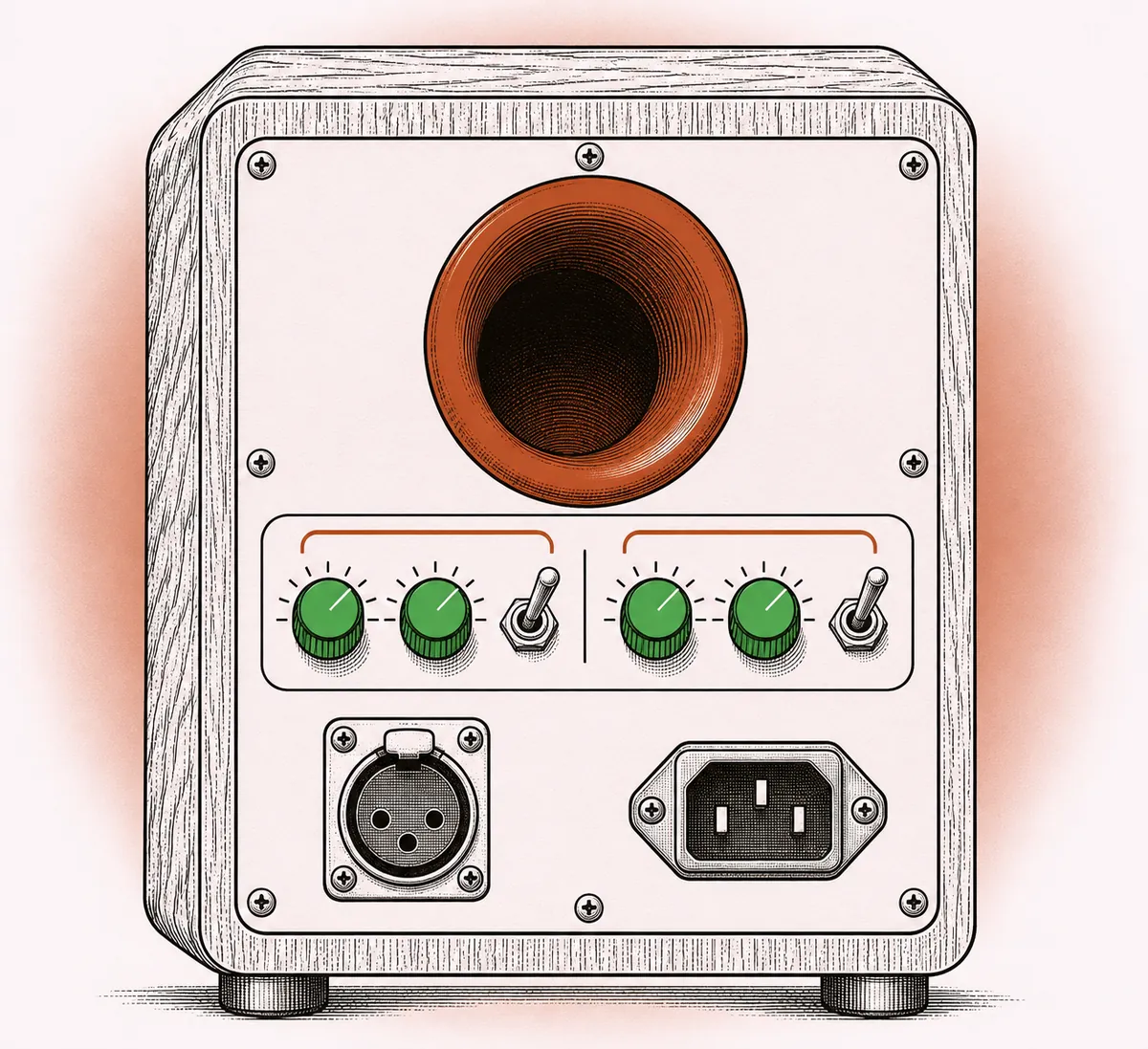
Common controls:
- Low shelf or boundary compensation: reduces bass when the speaker is near a wall, which naturally adds a few decibels below about 150 Hz. Settings of -2 to -4 dB are common for near-wall placement.
- Desk or low-mid filter: a dip around 150 to 250 Hz to offset the buildup that a desk top adds.
- High shelf: small boosts or cuts above about 4 kHz to compensate for a bright or dull room.
- Low cut or high-pass: used when pairing with a subwoofer.
Use these to correct placement effects, not to make the speaker sound "nicer." Set them based on placement first, then listen to familiar references and adjust in small steps.
Some monitors include room correction based on a measurement microphone. This can tidy up peaks from room modes, but it cannot fill deep nulls and it works best after physical treatment. The guide on practical acoustics for a home studio covers the physical side.
Amplification and connections
Almost all near-field monitors are active: each driver has its own amplifier, and the crossover happens before the amplifiers. This removes the need for a separate power amp and gives each driver exactly the power it needs.
Connections to check:
- Balanced inputs (XLR or TRS) from your interface or monitor controller. They reject interference over longer cable runs. Unbalanced RCA inputs work for short runs but pick up hum more easily.
- Input sensitivity switch: set it so the interface's output knob sits in a comfortable range at your normal listening level.
- Standby and auto-on: some speakers go to sleep after silence and wake with a delay. Check whether this can be turned off if it bothers you.
Specs worth reading carefully
Spec sheets are useful, but not all figures are presented the same way.
- Frequency response: look for the range and the tolerance, for example "45 Hz to 20 kHz, ±3 dB." A low figure without a tolerance, or given at -10 dB, says less.
- Maximum SPL: relevant if you listen loud or at a distance, but most small-room mixing happens well below the limits of any decent near-field.
- Dispersion: wider horizontal dispersion gives a broader sweet spot; consistent dispersion means the off-axis sound reflecting from walls resembles the direct sound.
- Self-noise or hiss: speakers with audible hiss at the listening position are tiring at short distance. Check from the chair in a quiet room.
Subwoofer or not
A subwoofer extends the low end below what small monitors produce. In a small, untreated room, adding one usually makes the bass harder to judge, not easier, because it excites the same room modes more strongly.
A subwoofer can make sense when:
- The room is treated with substantial bass trapping.
- You produce styles where the content below 50 Hz matters (electronic, hip-hop, film).
- You can place the subwoofer carefully and calibrate it, including level, crossover frequency (often 80 to 100 Hz) and phase.
If you add one, place it first at the listening position, play bass content, then move around the floor at the front of the room. The spot where the bass sounds most even is where the sub goes (the "subwoofer crawl"). Then set its level so the transition from monitors to sub is smooth.
Without those conditions, smaller monitors plus a reliable headphone check of the low end is a sound approach. The guide on mixing on headphones explains how to use headphones for that job.
Listening checks before deciding
If you can listen to monitors before committing, bring a few tracks you know well, mixed in a range of styles, and use them as references. Listen at a moderate, matched level; louder speakers sound better in short comparisons, so level matching matters. Focus on:
- How clear the vocal is in the midrange.
- Whether bass notes sound even from low to high.
- How stable the center image is.
- Whether you could listen for an hour without fatigue.
Once the speakers are in your room, give yourself time to learn them. Mixes on unfamiliar speakers take a few weeks of reference listening to become reliable. A structured self-review checklist for your mixes helps that process, and the glossary of music production terms defines terms like crossover and dispersion.
Quick answers
What size studio monitors suit a small bedroom?
Usually 4 to 5 inch woofers in rooms under 10 m², and 5 to 7 inch in rooms up to about 20 m². Larger woofers excite room modes and make the bass harder to judge.
Do rear-ported monitors need to be away from the wall?
Yes, usually at least 15 to 20 cm. Closer than that and the port interacts with the wall, making the bass boomy. Front-ported or sealed designs suit near-wall placement better.
Should I use the boundary or low shelf switch?
If the speakers are within about 50 cm of a wall, a cut of 2 to 4 dB on the low shelf often balances the added bass. Set it, then confirm with reference tracks.
Is a subwoofer a good idea in a home studio?
Only in a treated room with careful placement and calibration. In an untreated small room it usually makes bass judgment worse.